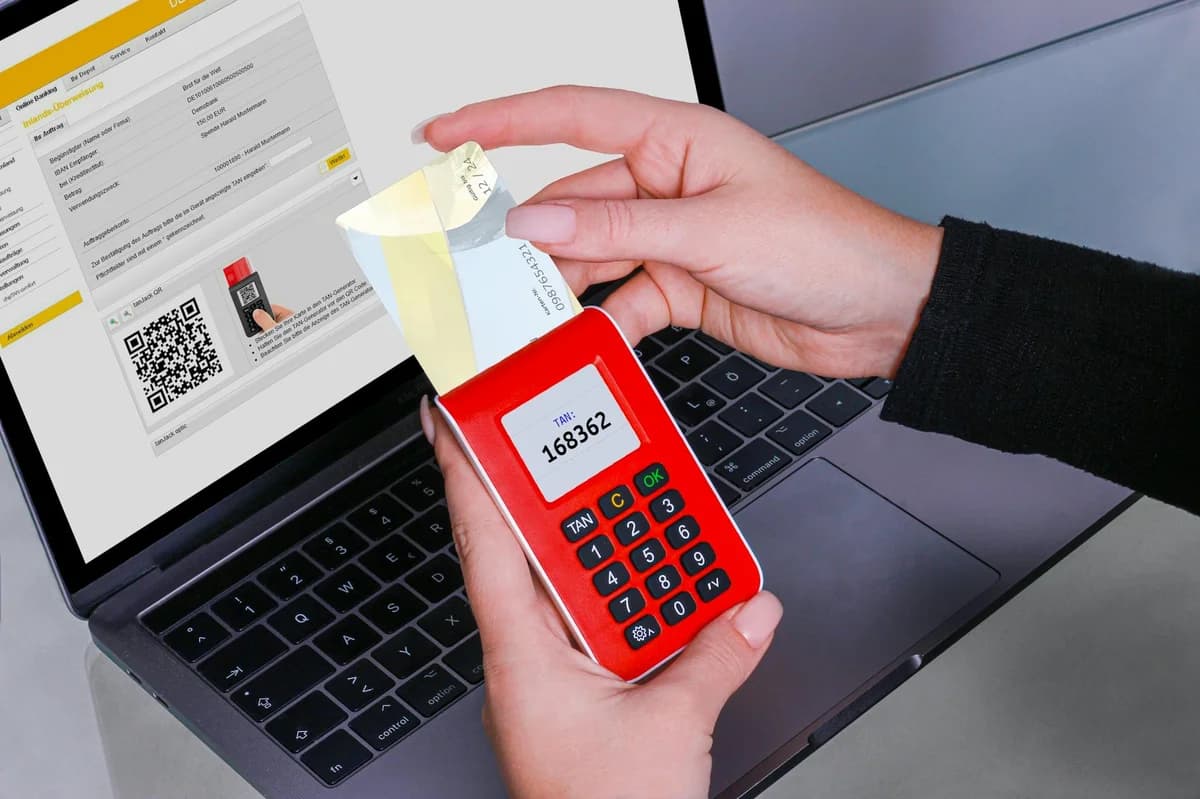
Two-Factor Authentication for Crypto Accounts: Security Guide
Two-factor authentication protects your crypto accounts. Learn how it works, types of 2FA, setup steps, best practices, and common risks for beginners.
Two-Factor Authentication for Crypto Accounts: Security Guide
Two-factor authentication is a security method that requires two separate forms of verification before granting access to your crypto account. Unlike a simple password, 2FA combines something you know (your password) with something you have (like your phone or a hardware key) or something you are (like a fingerprint). This extra layer makes it significantly harder for attackers to steal your digital assets, even if they obtain your password.
What Is Two-Factor Authentication and How It Protects Your Crypto
Two-factor authentication, often shortened to 2FA, forces any login attempt to satisfy a second check. For crypto accounts—which hold assets that can be transferred irreversibly—this is critical. A compromised password alone should never be enough to drain your wallet.
When you enable 2FA, the login flow becomes:
- Enter your email and password.
- Provide a time-sensitive code or a physical confirmation from the second factor.
Without that second factor, the login is blocked. Even if a hacker has your credentials from a data breach or phishing attack, they cannot withdraw your crypto unless they also control your authenticator app, hardware key, or biometric scan.
Types of Two-Factor Authentication for Crypto Accounts
Different 2FA methods offer varying levels of security and convenience. The following table compares the most common options used in crypto exchanges, wallets, and DeFi platforms.
| Method | Security Level | How It Works | Best For |
|---|---|---|---|
| SMS (text message) | Low | A code sent to your phone number via SMS | Secondary accounts with low balances; not recommended for primary storage |
| Authenticator app (e.g., Google Authenticator, Authy) | High | A code generated by an app on your smartphone that changes every 30 seconds | Daily use on exchanges and software wallets |
| Hardware security key (e.g., Yubico YubiKey) | Very high | A physical device you insert into USB or tap via NFC | Large holdings and high-value accounts |
| Biometric (fingerprint, face scan) | Medium | Built into some mobile wallets or password managers | Quick access on trusted devices |
- SMS 2FA is increasingly discouraged because attackers can perform a SIM swap—tricking your mobile carrier into redirecting your number to their phone. Once they receive the SMS code, your account is theirs.
- Authenticator apps are the most popular balance of security and ease. Codes are generated locally and never travel over a network, so they are resistant to interception.
- Hardware keys offer the strongest protection because they require physical possession of the device. They are immune to phishing and remote attacks. Many crypto exchanges support them.
Setting Up Two-Factor Authentication: A Practical Example
Let’s walk through enabling two-factor authentication on a typical crypto exchange. The exact steps vary slightly by platform, but the pattern is universal.
- Log into your crypto exchange account and navigate to the Security or Account settings.
- Find the Two-Factor Authentication section – it may be labeled “2FA,” “Two-Factor Auth,” or “Authenticator.”
- Select “Enable” or “Set up” – the exchange will display a QR code and a backup code.
- Important: Write down the backup code and store it offline. This is the only way to recover access if you lose your phone.
- Open your authenticator app (e.g., Google Authenticator, Authy, or Microsoft Authenticator).
- Scan the QR code – the app will immediately start generating 6-digit codes that refresh every 30 seconds.
- Enter the current code from the app into the exchange’s verification field.
- Confirm – the exchange activates 2FA. From now on, every login, withdrawal, or API key creation will require a fresh code.
Example: Say you use an authenticator app. After setup, logging in requires your password and the 6-digit number shown on your phone. Even if someone knows your password, they cannot move your Bitcoin without that continuously changing code.
Best Practices for Two-Factor Authentication Security
To maximize protection, follow these guidelines:
- Always use an authenticator app over SMS – avoid SMS 2FA for your primary crypto account. If your exchange forces SMS, consider moving your assets to a wallet that supports app-based 2FA.
- Store backup codes offline – print the recovery codes provided during setup and keep them in a safe place (e.g., a fireproof safe). Do not store them in cloud notes or email.
- Use a dedicated device for authentication – if possible, install your authenticator app on a phone that you do not use for daily browsing or social media. This reduces the risk of malware stealing the codes.
- Enable biometric lock on the authenticator app – many apps like Authy allow you to require a fingerprint or face scan before showing the code.
- Consider a hardware security key for accounts holding large sums – hardware keys are the gold standard. They are phishing-resistant and cannot be duplicated remotely.
Common Two-Factor Authentication Risks and How to Avoid Them
Even strong 2FA can be bypassed if you are not careful. Awareness of these risks will keep your crypto safe.
Phishing attacks
Attackers create fake login pages that look exactly like your exchange. When you enter your password and the 2FA code, they capture both and immediately use them on the real site.
Defense: Always check the URL. Bookmark your exchange’s official address and never click links from emails or messages.
SIM swapping
If you use SMS 2FA, a hacker can call your mobile provider, impersonate you, and port your number to their SIM. They then receive your SMS codes.
Defense: Switch to an authenticator app or hardware key. Contact your mobile carrier to enable a PIN or extra verification for number transfers.
Losing your phone
If you lose access to your authenticator app without backup codes, you could be locked out of your crypto account permanently.
Defense: Store backup codes in multiple safe locations. Some authenticator apps (like Authy) offer encrypted cloud backups—enable that feature with a strong password.
Compromised recovery codes
If your backup codes are stored in an unencrypted digital file, any malware that accesses that file can use them.
Defense: Keep recovery codes offline (paper) or in a password manager that uses encryption.
Conclusion
Two-factor authentication is not optional for anyone holding cryptocurrency. It is the single most effective step you can take to raise the barrier against theft. By choosing an authenticator app or hardware key, storing recovery codes securely, and staying alert to phishing attempts, you protect your digital assets from the most common attack vectors. No security measure is perfect, but combining strong 2FA with other best practices—like using a dedicated wallet for long-term holdings and keeping software updated—gives you a robust defense. Start today: enable two-factor authentication on every crypto account you own.