Two-Factor Authentication for Crypto Explained
Learn what two-factor authentication for crypto accounts is and how to set it up. This beginner's guide covers 2FA methods, best practices, and why it's essential for securing your cryptocurrency.
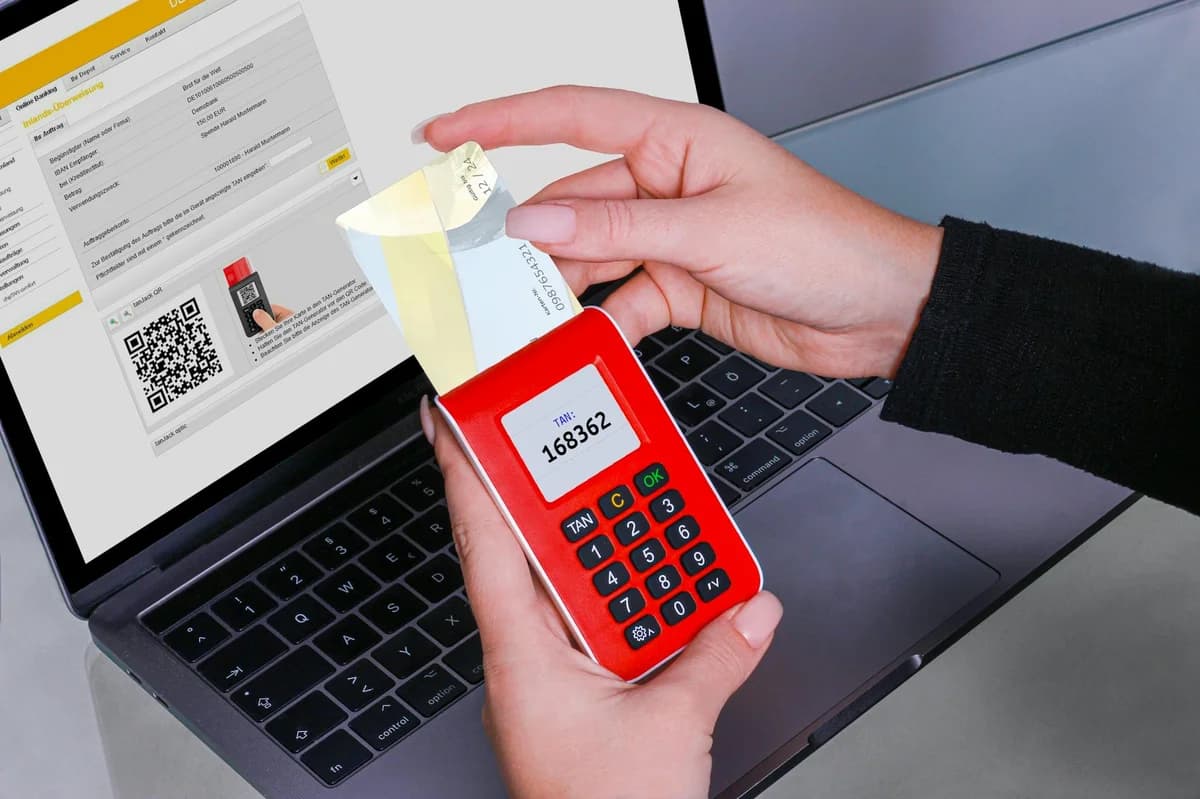
Two-Factor Authentication for Crypto Explained
Two-factor authentication for crypto accounts is a security measure that requires two separate forms of verification before granting access. This extra layer protects your digital assets even if your password is compromised. In the crypto world, where transactions are irreversible, enabling 2FA is one of the most effective ways to prevent unauthorized access.

Why Two-Factor Authentication for Crypto Accounts Is Non-Negotiable
Crypto accounts are prime targets for hackers because a successful breach can drain funds instantly. A password alone is fragile—phishing emails, data breaches, or weak passphrases can expose it. Adding two-factor authentication for crypto accounts means an attacker needs both your password and a second factor (like a code from your phone) to log in.
Common threats that 2FA mitigates include:
- Phishing attacks where fake websites steal your password
- Credential stuffing using leaked passwords from other services
- SIM-swapping where attackers hijack your phone number to intercept SMS codes
Without 2FA, your account is one leaked password away from being emptied. With it, even if your password is stolen, the attacker still cannot access your crypto without the second factor.
How Two-Factor Authentication for Crypto Works
Two-factor authentication combines something you know (password) with something you have (a device) or something you are (fingerprint). For crypto accounts, the most common second factor is a time-based one-time password (TOTP) generated by an authenticator app.
When you log in, you first enter your password. The server then requests a code from your authenticator app. The app generates a fresh code every 30 seconds using a shared secret. You enter that code, and the server verifies it. The process is seamless once set up.
Think of it like this: your password is the key to your front door, and the 2FA code is a guard who checks your identity before letting you into the safe inside. Both must pass for entry.
Common Two-Factor Authentication Methods for Crypto
Different 2FA methods offer varying levels of security and convenience. The table below compares the four main types.
| Method | How It Works | Security Level | Convenience |
|---|---|---|---|
| SMS-based | Code sent via text message | Low – vulnerable to SIM-swapping | High – no extra app needed |
| Authenticator app | App generates TOTP codes (e.g., Google Authenticator, Authy) | High – codes stay offline on your device | Medium – must have phone handy |
| Hardware security key | Physical USB/NFC device (e.g., YubiKey) | Very high – resistant to phishing | Low – must carry the key |
| Biometrics | Fingerprint or face scan (on your device) | High (as a second factor) | High – quick and natural |
For crypto accounts, authenticator apps are the recommended baseline, while hardware keys are ideal for high-value holdings. Avoid SMS-based 2FA for crypto if possible—though it is still far better than no 2FA at all.
Setting Up Two-Factor Authentication on a Crypto Exchange
Here is a step-by-step example using a typical crypto exchange:
- Log in to your account and navigate to Security Settings.
- Choose “Enable Two-Factor Authentication” – the platform will ask which method to use.
- Select “Authenticator App” – the exchange displays a QR code.
- Open your authenticator app (e.g., Authy or Google Authenticator) and tap the plus icon. Scan the QR code.
- Enter the 6-digit code shown in the app into the exchange field. This confirms the setup.
- Back up your recovery codes – the exchange will provide a list of one-time codes. Write them down and store them offline. Without these, you could get locked out if you lose your phone.
💡 Pro Tip: Use a dedicated device for your crypto 2FA, like an old smartphone without a SIM card, to reduce attack surface. Never leave your authenticator app on the same device you use for everyday browsing.
Best Practices for Two-Factor Authentication on Crypto Platforms
Even with 2FA enabled, poor habits can undermine security. Follow these guidelines to stay safe:
- Prefer authenticator apps over SMS – SMS codes can be intercepted via SIM-swapping.
- Store recovery codes offline – print them or keep them in a fireproof safe. Never save them in your email or cloud storage.
- Use separate 2FA for different accounts – if you use the same authenticator seed for multiple exchanges, a single compromise could affect all.
- Consider a hardware security key for exchanges holding significant funds. They are immune to phishing and do not rely on battery life.
- Enable 2FA on your email account – many crypto platforms use email for password resets. If your email is unprotected, attackers can bypass your 2FA.
Recovering from Lost Two-Factor Authentication for Crypto
Losing your 2FA device can be stressful. If you still have your recovery codes, you can regain access by entering one of them. If you lost both your device and the codes, contact the platform’s support. Be prepared to provide identification documents and transaction history to prove ownership. This process can take days or weeks, and in some cases, funds may be permanently locked.
To avoid this, always back up recovery codes and consider using an app like Authy, which offers encrypted cloud backups of your 2FA seeds (protected by a master password).
In summary, two-factor authentication for crypto accounts is a simple yet powerful tool to secure your digital assets. Enable it on every crypto exchange and wallet you use, and take the extra step to back up your recovery codes. Your future self will thank you.